Link or file
Any link works; for Printables, Thingiverse and Cults3D the title and preview image are fetched automatically. Or upload your own STL, 3MF or STEP file.
Open source · self-hosted · no tracking
“Could you print this for me?” – PleasePrintit collects your friends’ print requests in one place. They submit, you work through them in order. No more links buried in chat history.
Before and after
can you print this for me? printables.com/model/…
sure, which colour?
whatever 😄 oh and 2 of them
did you do the one from last week yet?
which one again? 🤔
Cable holder ×2Submitted
Plant potPlanned
Key ringPrinted
How it works
You create a personal invite link for each friend. It is valid for 7 days and works once.
Your friend pastes a link or uploads an STL, 3MF or STEP file and picks filament, colour and quantity.
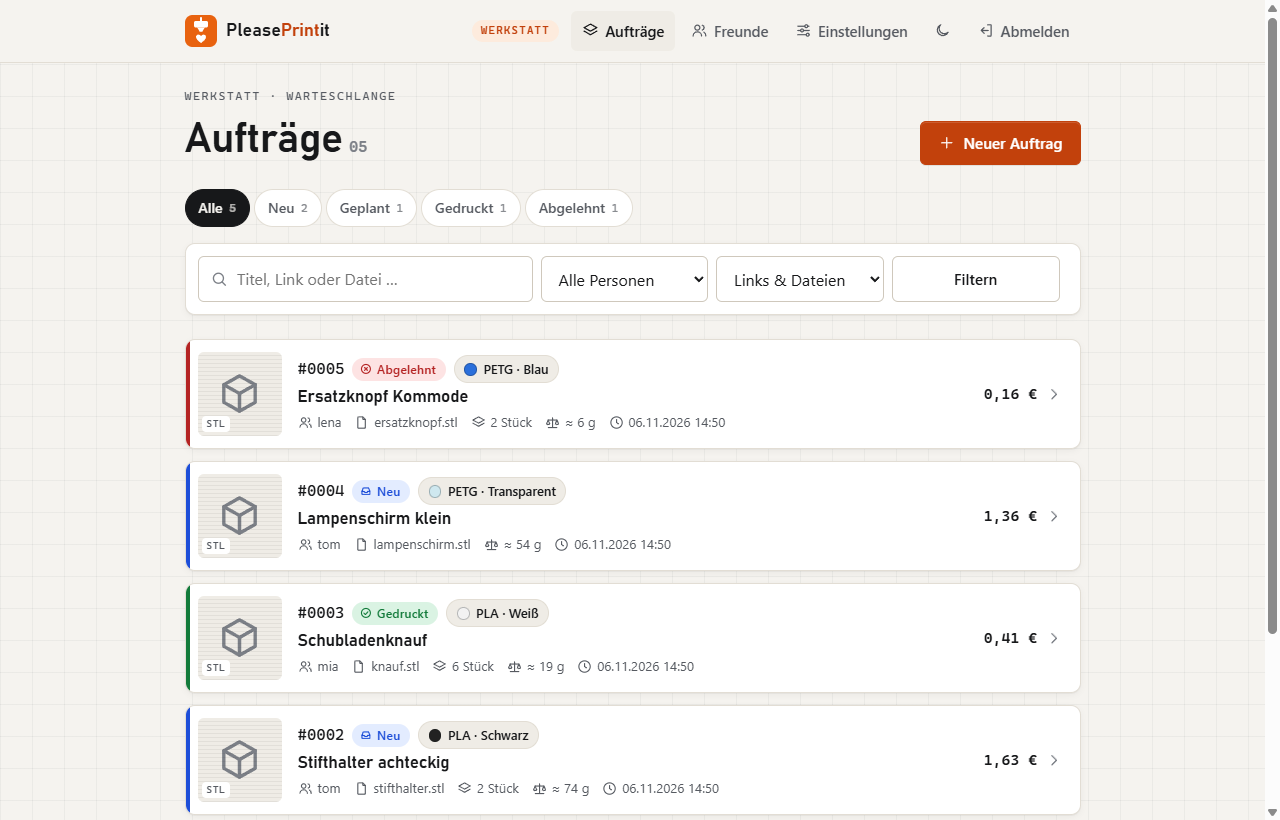
You see everything sorted with preview, weight and cost. Submitted → planned → printed.
Features
Any link works; for Printables, Thingiverse and Cults3D the title and preview image are fetched automatically. Or upload your own STL, 3MF or STEP file.
Rotate the model in the browser, see its size and check whether it fits your print bed. STEP files from CAD programs too.
One click on a request opens the file directly in OrcaSlicer, Bambu Studio or Creality Print on your computer. No extra software.
You list what you have in stock. Add a price per kg and you get a material cost estimate.
Every friend sees how many parts you printed for them and roughly what the material cost. Just an estimate – add a tip button with your PayPal.me or Ko-fi link if you like.
You send an offer, your friend accepts or makes a counteroffer. Nothing is printed or charged until the price is agreed. Handy for big orders.
Switch on per friend: a “paid” tick per request or a credit account. Filament cost plus a surcharge for power and wear; no “planned” without payment. The money changes hands outside the app.
Finished requests tidy themselves away after a set time or with a button. Find them again by title, file, friend or date range.
Requests, grams and material cost per month, popular filaments and colours, waiting time. Every friend sees their own numbers.
Submitted, planned, printed or declined with a reason, with the position in the queue. For shipped requests, on its way and delivered follow, with a tracking number your friend can follow themselves. By email if you like, and you can pause it anytime. You get an email for every new request.
“Could this be black?” Friend and workshop write to each other right on the request, and the other side gets an email. Plus an internal note only you can see.
A photo of the finished print appears on the request and in the “Printed” email. With “Print again” your friend reorders the same thing in one click.
No open sign-up. Accounts can be blocked, “forgot password” works by email.
By default at most 50 open requests (adjustable) and 500 MB of 3D files per person.
Installable on the home screen, with light and dark theme.
Prebuilt image for x86 and ARM – a Raspberry Pi works too. About 50 MB of RAM, no database to set up.
English, German and French. Everyone picks their own, and status emails arrive in their language too.
Automatic, with a verification tool. The last 14 backups are kept.
SSRF protection, strict headers, brute-force throttling, container without extra privileges.
Screenshots
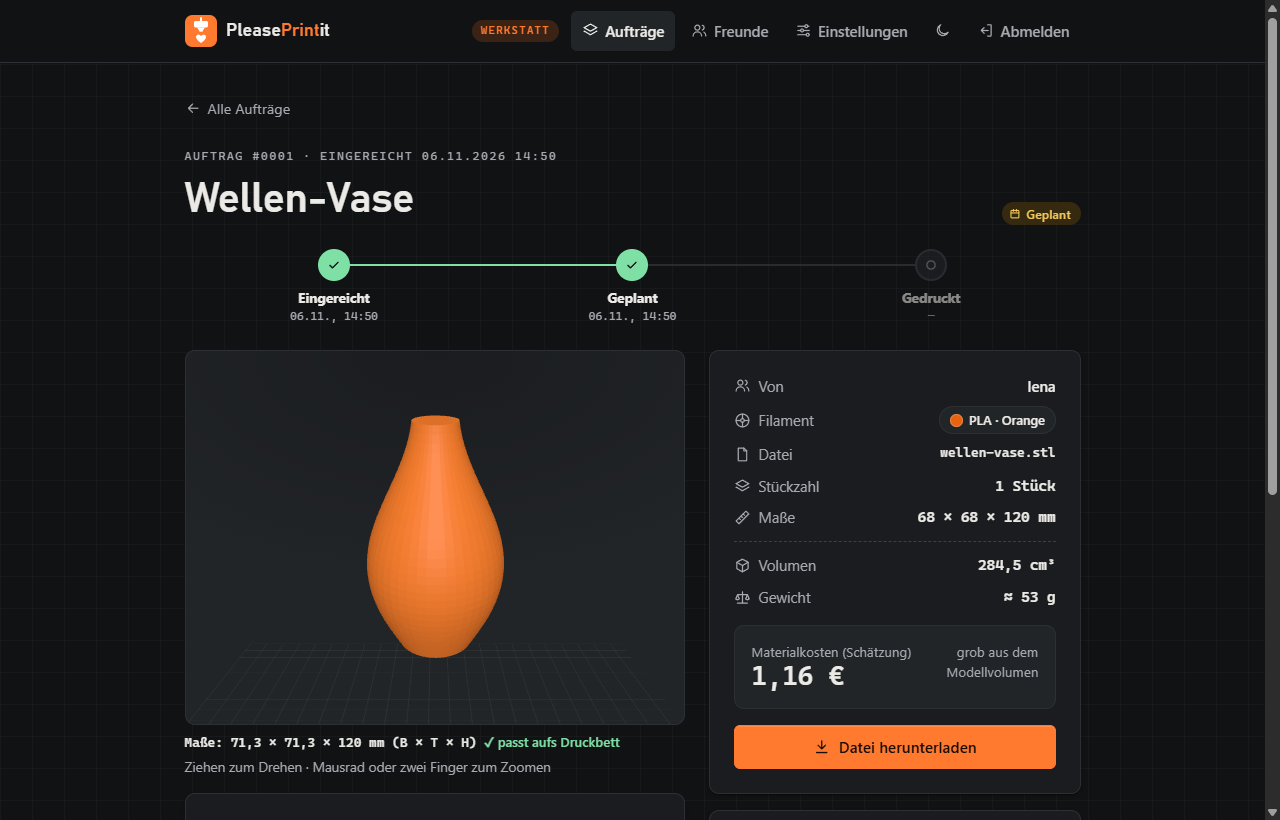
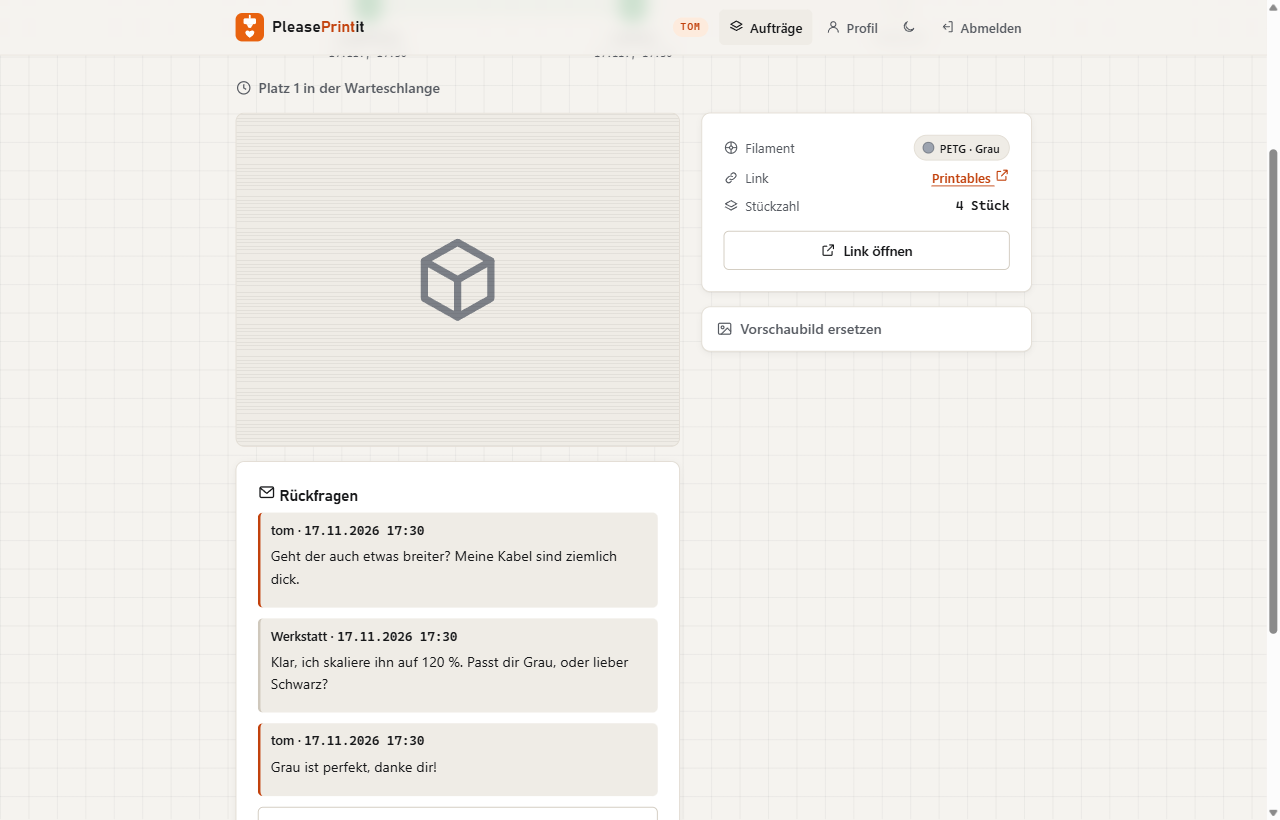
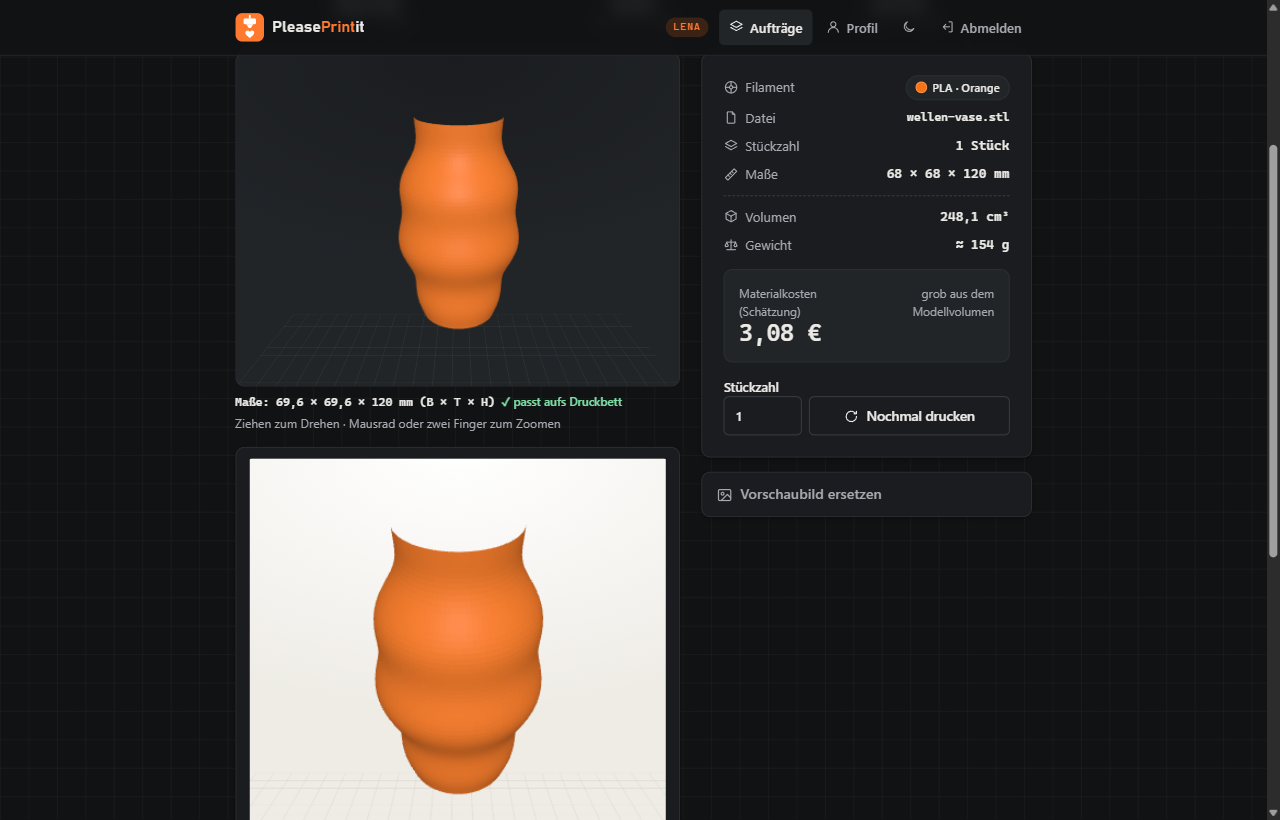
All names, models and photos are demo data. The screenshots show the German interface.
An honest comparison
Three free projects, three sizes. All are self-hosted and open source. Pick the one that fits your printer.
yeswith limits / solved differentlynot available
| Feature | PleasePrintit | PrettyPleasePrint | STL Quest |
|---|---|---|---|
| Built for | friends, one printer | small office, one printer | hobby up to print farm |
| Submit and prepare | |||
| Request by link | any link; title and image automatic for Printables, Thingiverse, Cults3D (with token) | Printables only, opt-in | five sites incl. MakerWorld |
| 3D preview | STL, 3MF, STEP, with build-plate check | STL, 3MF | STL, 3MF, OBJ |
| Open in slicer | Orca, Bambu Studio, Creality Print, no extra software | only with a helper app you have to install (PrusaSlicer, Orca, Bambu, Elegoo, Cura) | no |
| Filament & colour | from your stock | from your stock | print type, rest in the slicer |
| Working together | |||
| Questions | comments on the request | comments on the request | no |
| Internal note just for you | yes | no | notes |
| Emails | new request, status, questions, can be paused | new request, status, comments, can be turned off | only “ready to collect” |
| Push to your phone | via ntfy, self-hosted server in your home network works too | in-app notifications only | no |
| Queue position for friends | yes | no | no |
| Photo of the finished print | on the request and in the email | no | no |
| Print again | yes | yes | no |
| Cost and planning | |||
| Material cost | per request and per friend | no | no |
| Pay in advance (tick or credit) | optional, per friend | no | no |
| Several printers | no | no | with auto-assignment |
| Operation | |||
| Sign-in | invite + password | invite, passkeys, SSO | invite, SSO, 2FA |
| Raspberry Pi (ARM) | yes | no, x86 only | yes |
| Server needs | SQLite, ~50 MB RAM | Postgres, ~1 GB RAM, HTTPS required | SQLite or Postgres |
| UI language | German, English, French | English | English, French, German |
| Telemetry | none | none | anonymous, can be turned off |
| Licence | MIT | AGPL-3.0 | AGPL-3.0 |
You print for friends and family and want to know what it costs. Starts with one command – on a Raspberry Pi too.
One printer in an office, you want to discuss requests and already have single sign-on. Needs HTTPS and an x86 server.
Several printers or a small print farm, fair queueing and cloud storage. The biggest of the three.
Deliberately left out: single sign-on, an API, multiple printers, real payment processing (the tick and the credit only keep count). That keeps PleasePrintit small enough to understand in an evening.
As of November 2026, based on each project’s own information. Something wrong? Let me know.
Installation
All you need is Docker with Compose – on a NAS, a small server or a Raspberry Pi 4/5 with a 64-bit OS. The prebuilt image is pulled automatically, nothing needs to be built.
git clone https://github.com/neodk2004/pleaseprintit.git
cd pleaseprintit
cp .env.example .env     # change ADMIN_PASSWORD and SECRET_KEY
mkdir -p data backups
sudo chown 1000:1000 data backups   # Linux only
docker compose up -d
The app then runs at http://<your-host>:8080. Prefer no terminal? With Dockhand it’s a few clicks – the README has the guide.

PleasePrintit is free and open source. Take a look at the code, try it out – and feel free to leave a star.
Like it? Buy me a coffee on Ko-fi.